
DJ & sound system
Pairing several wireless speakers: TeamUp mode

To pair several wireless speakers, a phone’s Bluetooth is generally not enough: it links one source to one speaker. Soundboks provides another link, TeamUp mode, which lets up to five Soundboks play together. Note, though: Fox Rider rents a single Soundboks 4. To pair it, you need other compatible Soundboks speakers, either your own or friends’.
This article explains the principle, the settings that matter for range, and what you can do when you only have one speaker. The data comes from Soundboks documentation. The speaker is picked up in Lyon 3, no shipping is offered, it is handed over with a charged battery, and a Shure SM58 microphone can be added as an option: €5 per microphone per rental, two at most, XLR cable supplied and microphone stand free of charge. The speakers available to rent are gathered on the speakers page for Lyon.
Why a phone’s Bluetooth is not enough
A phone generally talks to only one Bluetooth speaker at a time. To make two or three play together, you need hardware or a feature designed for it. Soundboks chose its own wireless link, called SKAA, on which TeamUp is built.
The phone still has a role, though. The Soundboks app controls volume, the equalizer, sound profiles and TeamUp. It does not stream the music: to play over Bluetooth, the phone must first be paired in its own Bluetooth settings.
TeamUp: one HOST, up to four JOIN
The principle is simple. One speaker is set to HOST mode, the others to JOIN mode. A HOST can be followed by four JOIN at most, so five speakers in total. Soundboks lists the Mix, 4, 3 and Go models as compatible: a Soundboks 4 can therefore play with older generations.
One point to remember: the JOIN speakers receive nothing other than what the HOST receives. All sources are therefore connected to the HOST:
- the phone paired over Bluetooth to the HOST;
- a mixing desk or console cabled to the inputs on the HOST’s rear panel;
- nothing cabled to the JOIN speakers, which simply play.
SKAA Pro and beyond five speakers
Soundboks offers a SKAA Pro mode. It reduces the delay between speakers, but limits the group to three speakers in total. The choice is therefore a compromise: with up to three speakers, if the delay bothers you, SKAA Pro exists; with four or five, you stay with standard TeamUp.
Beyond five, Soundboks describes a wired workaround: you form two groups, each with its own HOST. The AUX OUT output of the first HOST is connected to the AUX IN input of the second. This setup requires a 3.5 mm mini-jack cable, and no cable is listed with the rented Soundboks 4: bring your own.
Range and placement: what Soundboks recommends
Soundboks does not publish a range in metres for TeamUp, so we do not give one. The manufacturer does, however, give placement advice:
- keep a clear line of sight between the HOST and the JOIN speakers;
- raise the speaker to about 2.5 m, on a tripod;
- be aware that the signal is more reliable indoors than outdoors;
- outdoors, place the HOST near a large object: a wall, a tree, a car;
- keep each speaker upright, never lying on its side, and do not sit on it.
A tripod that raises a speaker to this height must carry its weight: the Soundboks 4 weighs 16.1 kg. Check the rated load before raising it, and secure everything that can be secured. No stand or tripod is supplied with the Soundboks 4: that is your responsibility.
On the sound side, the distance between speakers matters in two ways. Placed close together, back to back or side by side, speakers gain bass, according to Soundboks. Placed apart, they cover more ground. In open field, the level drops by about 6 dB with each doubling of distance: a guest at the back of the garden hears clearly less than a guest in the front row. To place two speakers methodically, read our article on the height and angle of two speakers on stands.
You only have one Soundboks: what are the options?
Here are the options, from the simplest to the most equipped.
- A single Soundboks 4, on its own. That is what Fox Rider rents. Stand it upright, facing the guests, and raise the volume in steps. To gauge the size of the audience one speaker can serve, see the guidelines by number of people, with no magic number.
- A rented Soundboks 4, plus compatible Soundboks that you own. You form a TeamUp group with the rented speaker as HOST or as JOIN, depending on where your source connects.
- A wired output. The rear panel has a 3.5 mm mini-jack output, AUX OUT. It can feed the input of another speaker that accepts this type of cable: try this setup before the big day. Bring the cable, and read our guide to XLR, jack and RCA cables if you are unsure about the connectors.
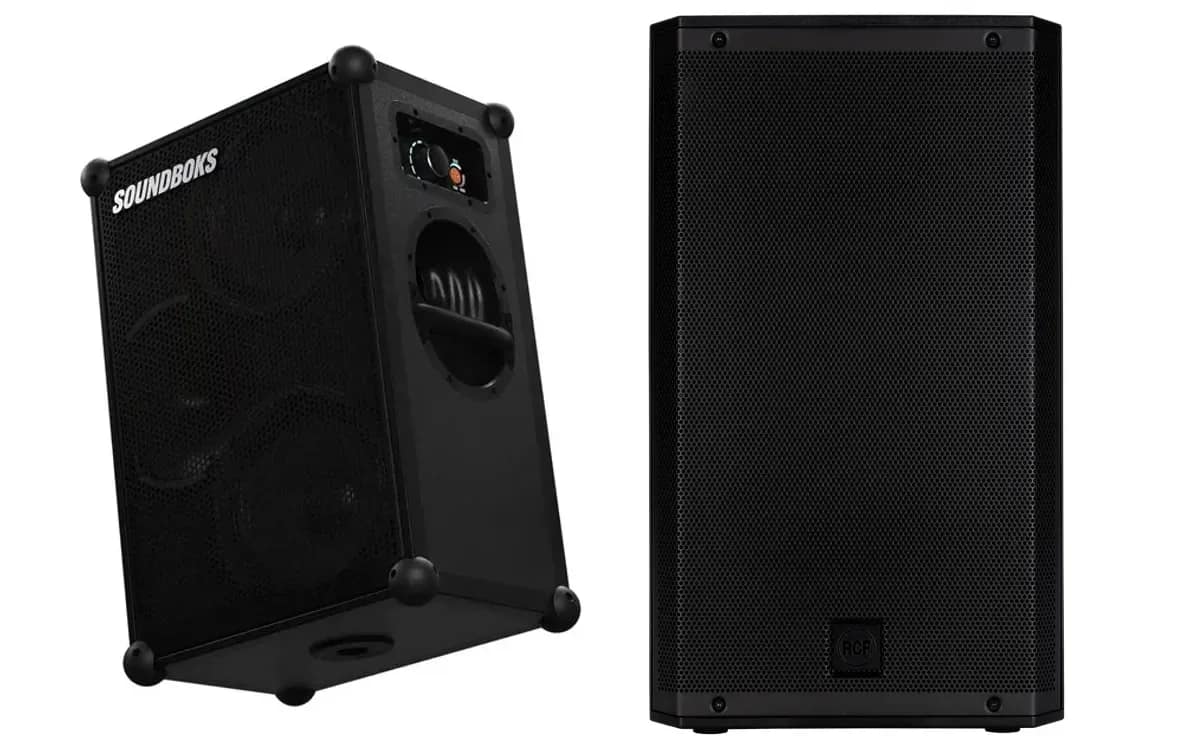
- A power outlet nearby. In that case, the pair of active speakers RCF ART 912-A is the other solution: two speakers on stands, linked to each other by an XLR cable, mains-powered. It has no Bluetooth. XLR cables are offered at booking.
What to check before booking
First count your compatible speakers: Mix, 4, 3 or Go, and not another brand or another model. Then make a clear decision: a TeamUp group needs a HOST and a source connected to it, not elsewhere. Finally, the rented speaker is picked up in Lyon 3, every day from 9:00 to 20:00, by appointment. The rental period runs from 1 to 7 days; the price depends on the duration and is shown on the product page, as is the security deposit paid on site.
If you want to test your setup, do it before the big day: pairing, choice of HOST, speaker positions. An evening goes better when the link has already been tried once in the garden.
More in this section
 DJ & sound system
Battery speaker or wired pair: which one to choose?
One battery-powered speaker or two mains-powered ones? Five simple questions (socket, venue, source, transport, mood) to choose between the Soundboks 4 and the RCF pair.
5 min read DJ & sound system
IP65 speaker: rain, beach, boat, what it can handle
What does IP65 mean on a speaker? What Soundboks says exactly about the Soundboks 4: rain, beach, boat, and what it does not handle.
4 min read DJ & sound system
Speakers for 100 guests: the right benchmarks
No manufacturer sells a number of guests. Here are the criteria that really decide whether a pair is enough: music, distance, venue and bass.
5 min read