
Action & 360 cameras
Filming in 360° with the Insta360 X5: Complete Tutorial
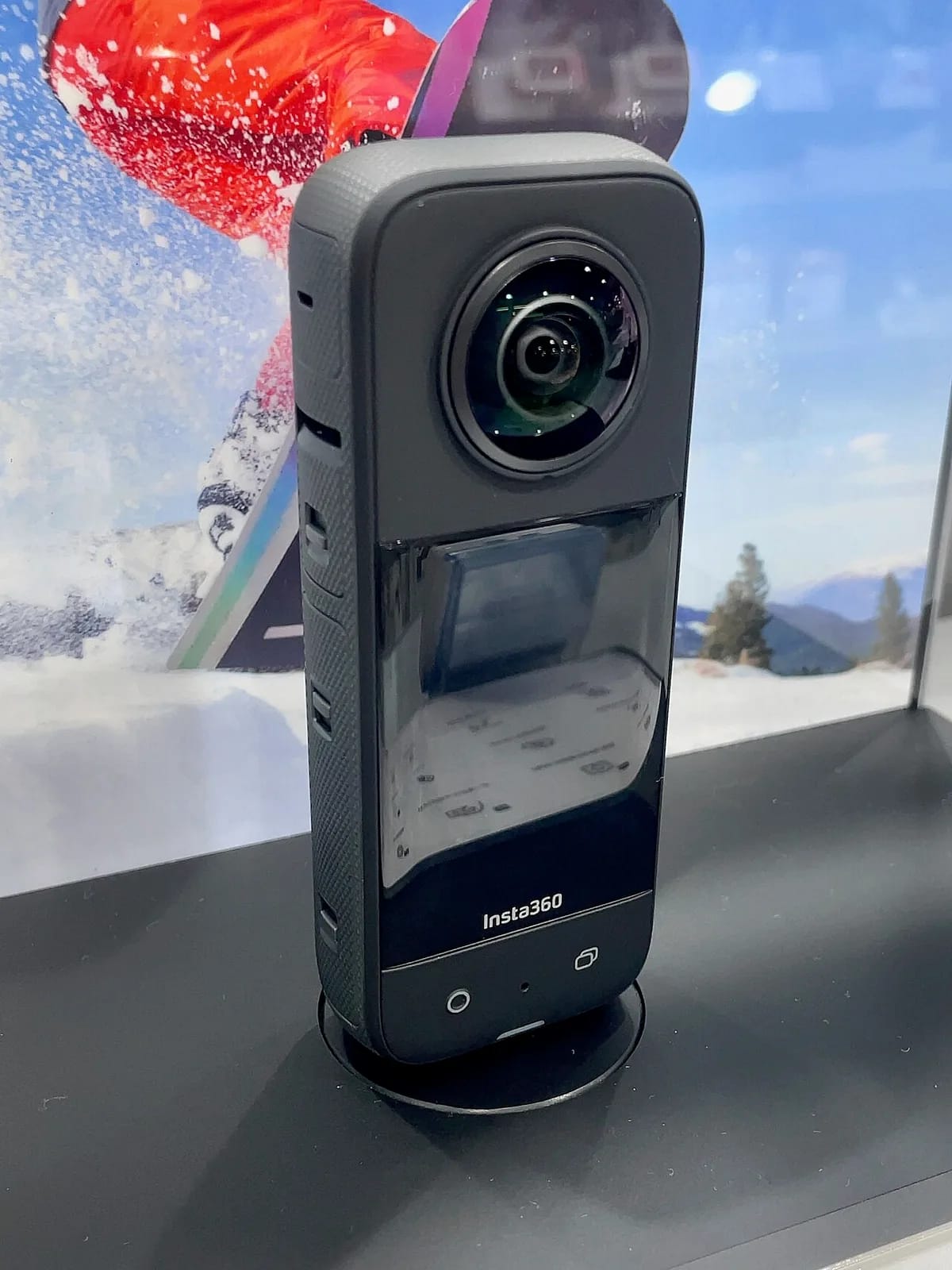
360-degree video is transforming the way we capture and tell visual stories. With the Insta360 X5 , you have one of the most powerful 360 cameras on the market, capable of producing immersive images of impressive quality. This comprehensive tutorial guides you step by step, from initial settings to final editing, to exploit the full potential of this camera and film in 360 with confidence.
No need to buy to try: at Fox Rider, the Insta360 X5 can be rented by the day, ready to use from your first use.
Why 360° changes everything
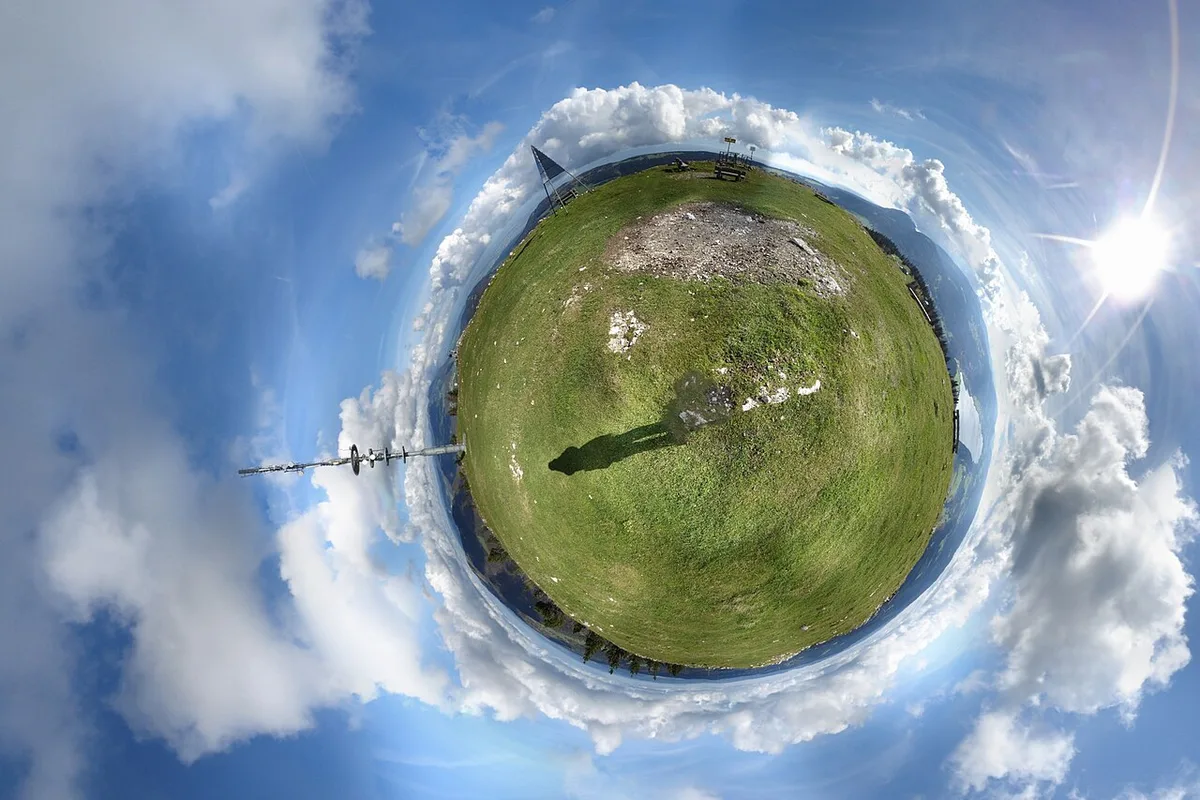
Unlike a classic camera which freezes an angle at the time of filming, a 360 camera captures the entire sphere around it. You decide on the framing, angle and camera movements after the fact, in post-production. This completely frees up filming: you never miss the action again, and you can reframe the same shot in several ways. The Insta360 X5 stands out for its larger sensors, which improve low-light rendering, and for its high resolution which allows you to extract sharp shots even after cropping.
Getting started: the first settings
Before filming, take a few minutes to properly configure the camera. When you rent from Fox Rider, the firmware is already up to date and the memory card formatted. Here are our recommended settings to get started:
- Resolution: set it to the target broadcast. An intermediate definition is more than sufficient for social networks and reduces storage; the maximum resolution is justified for the large screen, where it preserves the essential cropping margin in 360°.
- Frame rate: 24 or 25 frames per second for cinematic rendering, 30 for the web and television, 60 for slow motion controlled in sports, and higher frame rates for very marked slow motion.
- FlowState stabilization: permanently activated. This is one of the brand's biggest assets, it eliminates tremors even in full movement.
- Exposure: automatic to start, then manual once the basics have been mastered.
Also download the Insta360 app on your smartphone: it serves as a remote control, preview monitor and very intuitive mobile editing tool.
Choose your shooting method wisely
The Insta360 X5 offers several modes adapted to different uses:
- 360° mode (dual lens): the lighthouse mode, which captures the entire sphere. Great for sports, events, and anything else you'll want to crop afterwards.
- Single-lens mode: a single sensor, like a classic wide-angle action cam, for the best image quality when you already know what framing you want (camera-facing vlog, for example).
- Third person effect: thanks to the invisible boom which disappears from the image, the camera seems to follow you like a drone, without a drone. Spectacular when skiing, mountain biking or traveling.
- Timelapse 360: Time flies by as the viewer explores the 360° scene, perfect for sunsets and busy locations (tripod essential).
Good filming reflexes
Filming in 360 obeys specific rules, because the camera literally sees everything around it:
- Place the camera at eye level (between 1.50 m and 1.80 m) for a natural perspective.
- Clear a perimeter of approximately 50 cm around the camera: any object too close will appear distorted by the fish-eye effect.
- Avoid the sewing line (“stitching”) located on the sides of the camera: do not place an important subject there.
- Prefer diffused light: the two sensors poorly manage a strong contrast between a brightly lit area and a dark area. Golden hours and overcast skies are your best allies; midday flattens the image.
- Move slowly: sudden movements are amplified and may disturb the spectator.
On the sound side, the integrated microphones capture immersive spatial sound, but remain limited in noisy environments. For a professional sound, add an external microphone or a dedicated recorder.
Editing: where the magic happens
The real creative work begins after filming. The software automatically assembles the two images into a continuous sphere (“stitching”), then comes the most fun step: cropping. From your sphere, you cut out a 16:9, 9:16 or square frame and create virtual camera movement.
- Keyframes: Place framing points on the timeline for precise, smooth movements.
- AI Auto Tracking: The camera follows a subject you designate, perfect for action.
- Assisted framing: AI automatically suggests the best angles for quick editing.
- Creative effects: the “tiny planet” view, the immersive transitions from one shot to another and the orbital movements around the subject are obtained from the same sphere, without additional filming.
Then select your best moments without complacency: short shots maintain the rhythm, well-chosen music structures the emotion, and a light colorimetric calibration unifies the whole. For an interactive 360 video on YouTube or Facebook, the software automatically injects the necessary metadata; for social networks, export a classic cropped shot.
Concrete uses
The versatility of the Insta360 X5 opens up a wide range of projects: capturing the complete atmosphere of a place in travel, obtaining “impossible” shots in action sport thanks to the invisible boom, not missing a single thing of a wedding or a concert by placing the camera in the center of the action, or even producing virtual tours real estate immersive. For sport, many creators combine the 360 with a GoPro to combine subjective view and third person effect.
Ready to film in 360°?
The best way to discover immersive video is to practice it. At Fox Rider , we make this discovery accessible thanks to the rental of the Insta360 X5 and all its accessories (invisible pole, batteries, high capacity card), without commitment to purchase. Equipment checked before each shipment, fast delivery throughout France, breakage and theft insurance included and technical support by telephone.
More in this section
 Action & 360 cameras
GoPro in Lyon: spots, settings and tips for filming
Kayaking on the Saône, mountain biking in the Monts du Lyonnais, skiing in the Alps: where to film with a GoPro around Lyon, with which settings and mounts.
4 min read Action & 360 cameras
Rental GoPro for bachelor/bachelorette party
A bachelorette party or bachelorette party is being prepared, and you want to film everything? The rental GoPro is the ideal solution to capture every moment without risking your equipment.
5 min read Action & 360 cameras
2026 ranking of the best rental action cameras
In 2026, action cameras have reached an impressive maturity: stunning stabilization, ultra-defined image, standard waterproofing and […]
3 min read