
Vlogging & creation
The sound of your camera: external microphone and wind
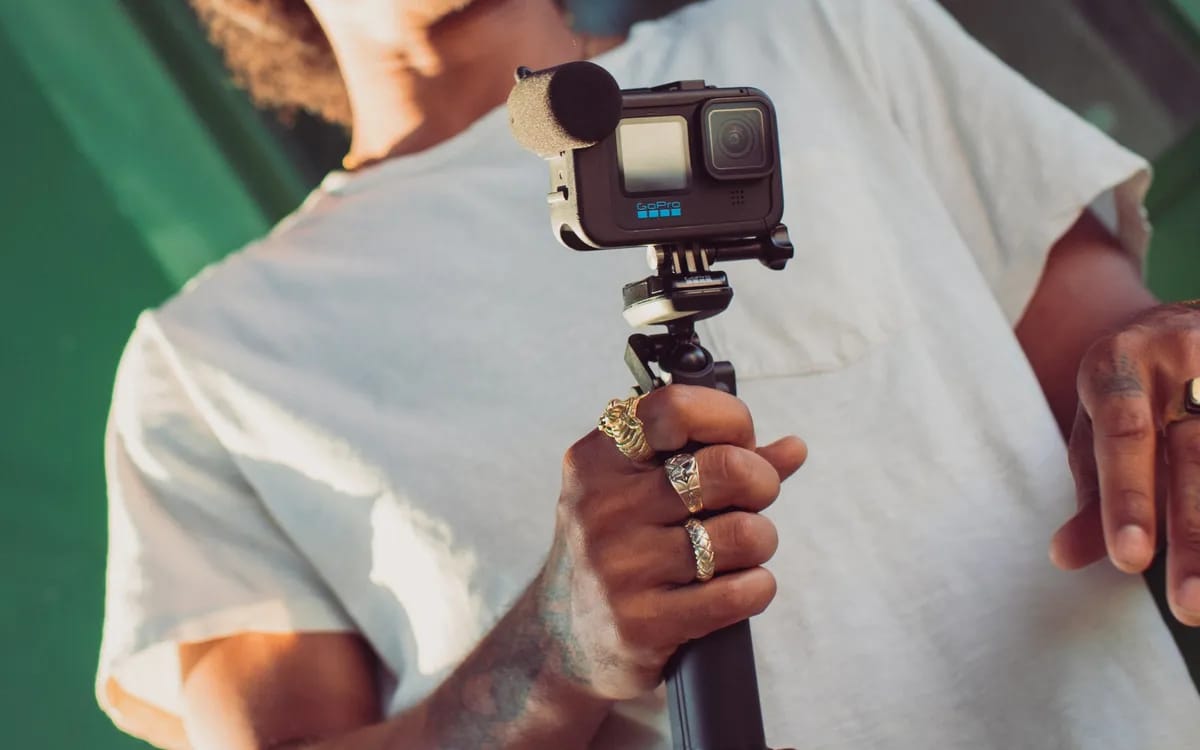
You come back from the weekend, you open your rushes, and you realize: the image is superb, the sound is unusable. A continuous breath covers the voices, and the phrase you wanted to keep has disappeared. This is the most common fault in videos shot on an action camera. It's also one of the easiest to reduce, provided you know what your camera can already do on its own and when you need to add something to it.
Why the wind almost always wins
An action camera is first of all a waterproof case. The GoPro HERO12 Black goes down to 10 m without the box and to 60 m with the protective box; the Insta360 X5 holds 15 m without a box. This tightness is paid for in sound: the microphones are not in the open air. Add a tiny housing, almost always fixed into the relative wind – helmet, handlebars, selfie stick – and you have the most hostile environment for a microphone. The hiss that you hear is not a manufacturing defect: it is the direct consequence of what you are asking of the device.
Start with the settings, they cost nothing
Before adding anything, open the audio menu. Insta360 documents four modes for the X5 : two-level automatic wind noise reduction, voice enhancement, stereo and 360° audio. The X4 features automatic wind reduction, active wind reduction, stereo mode and directional focus. At GoPro, the media module itself includes wind and ambient noise reduction. These modes are not decorative: they modify the processing applied to the socket, and they are already in the device you are renting.
Three filming actions often weigh more than the equipment:
- Move the camera closer to the person speaking. A microphone thirty centimeters away hears a voice; at two meters, he mainly hears the wind.
- Turn your back to the source of the wind for spoken passages, even if it means changing direction for ten seconds.
- Cut the wind with an obstacle: a wall, a car, a body. It’s less elegant than an accessory, and often more effective.
The media module, the real answer on the GoPro side
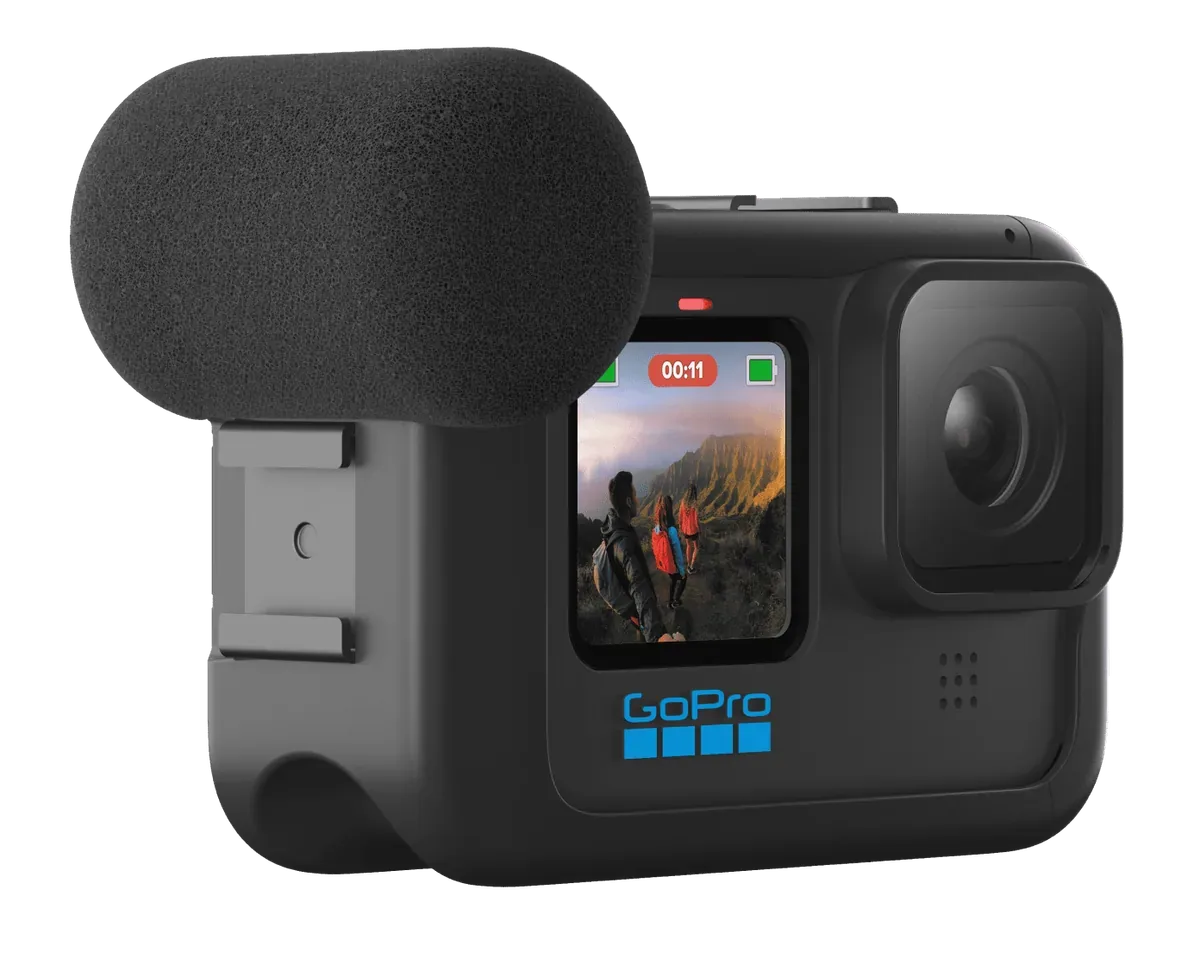
GoPro describes its media module as a frame that has a built-in directional microphone with wind and ambient noise reduction, a 3.5mm mic port for plugging in an external mic, an HDMI output, and two accessory holders. It comes with a foam wind guard, a vertical mounting loop and a thumbscrew. GoPro indicates compatibility with HERO13, HERO12, HERO11 and HERO10 Black.
Concretely: it’s the accessory that transforms a sports camera into a small vlogging station. At Fox Rider, it appears in the accessories catalog of GoPro HERO 12 Black , to be added at the time of booking. If your project contains interviews, speeches, a wedding or a vlog where you are heard speaking, this is the first addition to make.
The wireless microphone, when you don't want a cable
The HERO12 Black accepts a wireless microphone: GoPro announces on its product sheet the connection of the camera to AirPods, Bluetooth headphones or any other wireless microphone. This is the most discreet solution for an interviewee who is traveling. Be careful with the generation: this wireless connection does not appear on the technical sheet of the HERO 11 Black , where the external sound passes through the media module and its 3.5 mm port. If audio is an issue in your filming, the difference between the two boxes lies exactly there.
On the 360 side, the X5 features Bluetooth 5.2 and Insta360 publishes a list of compatible motorcycle intercoms, notably the SENA and Cardo ranges. For filming on two wheels, this is often the only way to obtain a clean voice while the camera handles the relative wind.
If you plug in your own microphone
The media module's 3.5mm port opens the door to compact on-camera microphones. The RØDE VideoMicro, for example, requires no batteries: RØDE explains that it draws its power from the device's jack, what we call the plug-in power. It comes with a fur hat for outdoors; The VideoMicro II is supplied with foam and furry windshields, a 3.5mm TRS to TRS jack cable for camera and a TRS to TRRS cable for smartphone.
A piece of common sense advice: plug in and record thirty seconds at home, with headphones on, before the day of filming. An incompatibility is discovered in three minutes in a living room, never in the middle of a speech.
What to accept
We have to be honest: no adjustment and no windshield make an action camera equivalent to a lavalier microphone placed ten centimeters from a mouth. After a certain wind strength, the wind takes over, whatever the material. The good strategy is then no longer technical but editorial: record the speech under cover, keep the windy shots for the image, and put music on top. Your viewers forgive an imperfect image; they pick up in a few seconds with a saturated sound.
For a shoot where you need to be heard, the simplest combination to rent is a HERO12 Black with its media module, supplemented if necessary with a wireless microphone. For a shoot where ambiance is enough, the X5 and its two levels of wind reduction do the job very well without adding anything.
More in this section
 Vlogging & creation
Edit a 360 video: which PC or phone?
Nothing is more frustrating than a rented 360 camera and choppy footage during editing. Here is the configuration actually requested, and what to do if yours is below.
4 min read Vlogging & creation
Filming in Log: should you really start doing it?
Filming in Log provides material for grading, but lengthens editing. Three questions are enough to find out if this detour is worth it for your videos.
4 min read Vlogging & creation
First vlog: what equipment to rent to start?
Renting before buying avoids the most expensive mistake: investing in equipment that doesn't suit your way of filming.
2 min read