
DJ & sound system
Pioneer XDJ-RX3: quick guide for beginners

Contents
The Pioneer XDJ-RX3 is one of those pieces of equipment that democratizes DJ mixing: a single box brings together two turntables, a professional mixing desk and a large color touch screen. No more need for a permanently plugged-in computer or a pile of disparate equipment. Whether you are a complete beginner, host of a private party or occasional DJ, this getting started guide allows you to understand the essentials and play your first songs with confidence. And if you prefer to test before investing, renting remains the easiest way to practice on real high-end equipment.
Know before you plan: DJ equipment cannot be shipped. He withdraws and goes in person to Lyon 3 (2 Impasse du Lutin, 69003 Lyon), by appointment. The excess of €200 is paid on site at the drop-off and returned to you on return.
See also: DJ equipment hire in Lyon or sound packs to rent in Lyon.
Prepare your music before the evening
A good set starts away from the decks, in front of your computer. Preparation makes the difference between a smooth evening and a laborious evening.
Rekordbox software
Before you touch XDJ-RX3, organize your music library with Rekordbox, the free software from Pioneer. It analyzes each song (tempo, structure, waveform), identifies the highlights and lets you build thematic playlists. Place markers on the key moments of your titles as you go: you will find them as they are on the device. Once the analysis is complete, export everything to a USB key: it, and not the computer, will control the evening. No time to learn rekordbox? The online tool DJ Set analyzes your files and gives you back a key ready for the XDJ-RX3.
Choose your audio files wisely
The controller plays popular formats like MP3, AAC, WAV, FLAC and AIFF. For optimal reproduction, favor uncompressed or lightly compressed files. The 320 kbps MP3 constitutes a good compromise between quality and space occupied. Avoid low quality files: on a real sound system, the defects of an MP3 that is too light can be heard immediately.

Understand the ergonomics of the device
The XDJ-RX3 interface is designed to be readable at a glance. On the left and right, the two jogwheels (the large wheels) are used to load and manipulate the pieces. In the center, the touchscreen displays colored waveforms and your library. At the bottom, the crossfader ensures switching from one song to another, while each channel has its own volume fader and equalizer.
For each deck, the screen summarizes the essentials in one place: the waveform of the current song, the detected tempo, the remaining time, the markers you have set and the active loops. This is your dashboard: one glance is enough to know how much time you have left before you have to move on.
The basics of mixing, step by step
Load a first song
Insert your USB key, browse your playlists on the touch screen and load a track on the left deck. Do the same on the right deck with the next piece. Waveforms appear on screen: they visually show you where the verses, choruses, and breaks are.
Set the tempos
For a transition to sound right, both songs must move at the same pace. The XDJ-RX3 displays the tempo of each title. Beginners can rely on the auto-sync feature, which aligns beats with one tap. To progress, then practice manual tuning using the pitch fader, the vertical slider which finely adjusts the playback speed.
Connect two titles smoothly
Before even starting the incoming song, pre-listen to it on headphones and set its starting point with the dial: you will know exactly where you are going. The transition itself then relies on volume and EQ. Gradually turn up the incoming song while turning down the outgoing song. Classic tip: first cut the bass from the title coming in using the EQ, then reintroduce it at the right time to prevent two bass lines from colliding. The result is immediately cleaner.
Two habits clearly accelerate progress: start with pieces of similar tempos, which are much easier to set, and record your sessions to listen to them again cold. This is the most informative feedback on your transitions, and the best way to measure your progress from one week to the next.

Add relief with effects
The XDJ-RX3 comes with a range of useful effects, as long as you don't overuse them:
- The filter: the most musical and accessible effect. By turning it, you create a build of tension before releasing on the chorus.
- Echo and reverberation: perfect for extending a last word or starting a breakup.
- Color effects per channel: a dedicated button on each channel to quickly color the sound, ideal for announcing a strong moment.
The golden rule: too many effects kill the effect. Parsimonious use always gives a more professional result.

Make your first night a success
Prepare several playlists classified by atmosphere: quiet start to the evening, build-up of energy, party peak, then gentler end of the evening. Start calmly and increase the intensity gradually. If a transition isn't perfect, don't panic: the vast majority of guests will never notice. The main thing is to keep the rhythm and have fun, because your energy is transmitted to the audience.
Test the XDJ-RX3 without breaking the bank
Investing in a professional controller represents a significant budget, especially for a one-off event. Renting allows you to benefit from top-of-the-range, perfectly maintained equipment for an evening or a weekend. At Fox Rider, the Pioneer XDJ-RX3 is available for rental with the necessary cables, to be removed and returned by hand to Lyon 3: a peaceful way to practice or host an event without spending several thousand euros. A useful clarification for your budget: on DJ equipment, a €200 security deposit is left at handover and returned when the gear comes back.
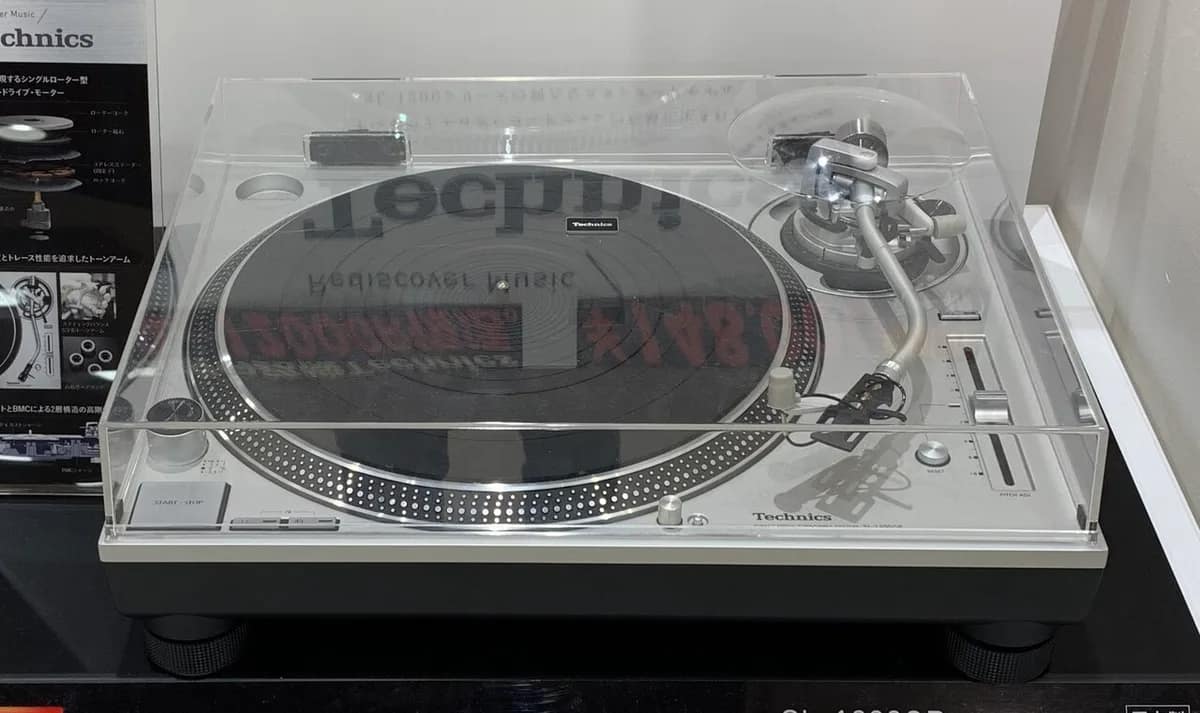
And if you're passionate about mixing, extend the experience on the vinyl side with the turntables Technics SL-1210 MK2 , the other school of DJing.
See also: turntable rental or sound system packs.
More in this section
 CC0 · Wikimedia CommonsDJ & sound system
The 10 essential pieces to test your turntables Technics
Getting your hands on a pair of Technics SL-1210 MK2 turntables means treating yourself to one of the most legendary instruments […]
4 min read CC0 · Wikimedia CommonsDJ & sound system
Festival and garden party: what equipment to rent
Organizing a private festival, a garden party or an outdoor evening is an exciting project. But the sound system […]
5 min read CC0 · Wikimedia CommonsDJ & sound system
Organizing karaoke at home: equipment and tips
Karaoke at home is the ideal entertainment for a memorable evening with friends or family. Guaranteed laughs, talents […]
4 min read